Sending interviews
6.1 Sending is automatic
You do not need to send anything by hand. The app sends the interviews waiting on the device by itself, as soon as there is a connection: right after you finish one, when the connection returns, when you open the app and after you sign in. If the server does not answer, the app tries again later by itself, waiting a little longer each time. A retry never creates a duplicate interview.
6.2 The Pending Interviews screen
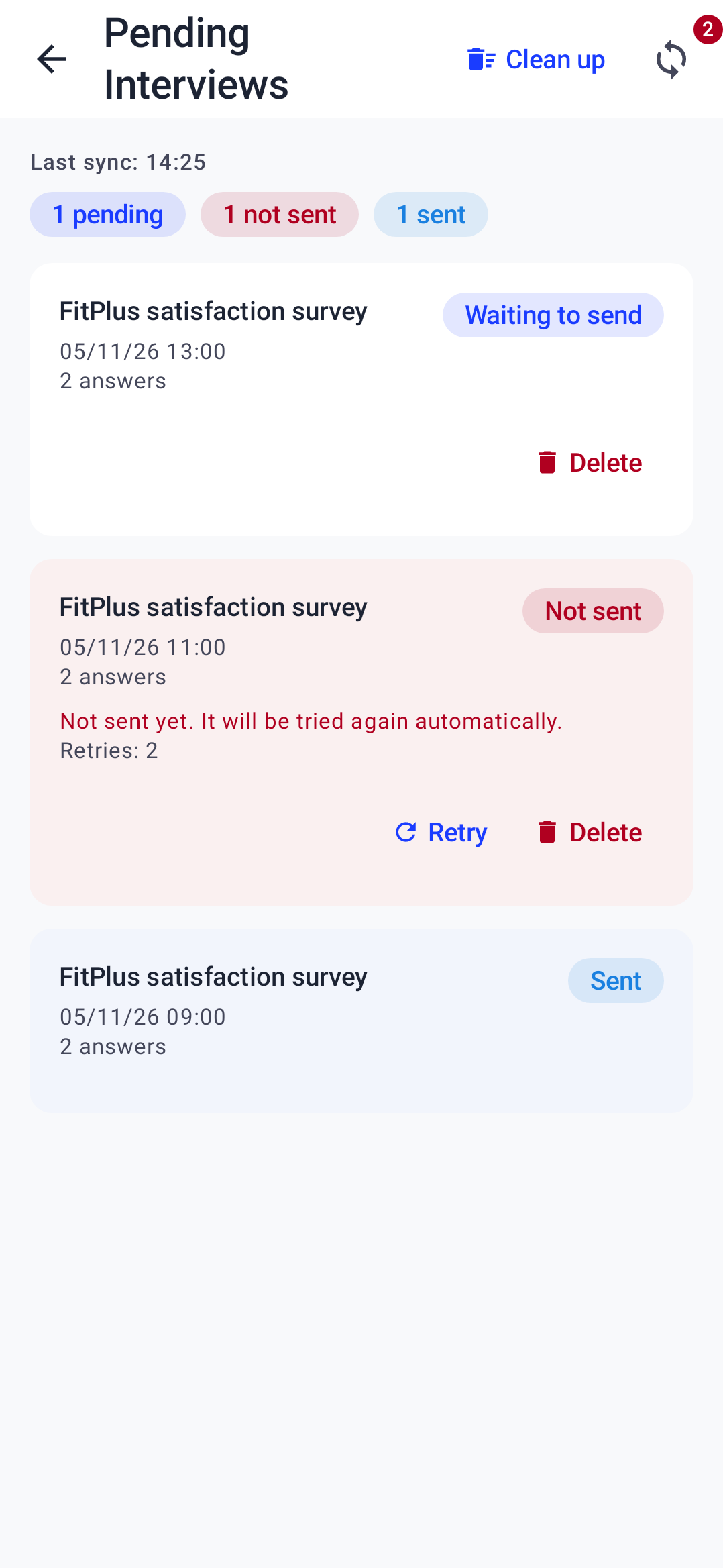
The cloud icon at the top of the Projects screen opens Pending Interviews, with a badge when some are waiting. It lists the interviews on this device of the person signed in:
| Status | What it means |
|---|---|
| Waiting to send | It goes out by itself when there is a connection. |
| Sending | It is being sent. |
| Not sent | The last try failed: "Not sent yet. It will be tried again automatically." |
| Sent | The server has it. |
The sync icon at the top sends everything now; Retry tries a not-sent interview again, and Delete removes an interview from the device for good.
Sent interviews stay listed until you tap Clean up, which removes them from this device only (the server keeps them), or until they are 30 days old.
If several interviewers use the same device, each one sees and sends only their own interviews. The others' stay saved on the device and are sent when their owner signs in again.